How Yforms works, from the order to the answer.
Yforms follows each order from checkout to delivery and two weeks of use, asks one short question at each step, and turns what customers write into what to fix.
- Order placedSynced from Shopify
- Thank-you pageRight after checkout
- DeliveredWhen the order arrives
- After use14 days later, or when you choose
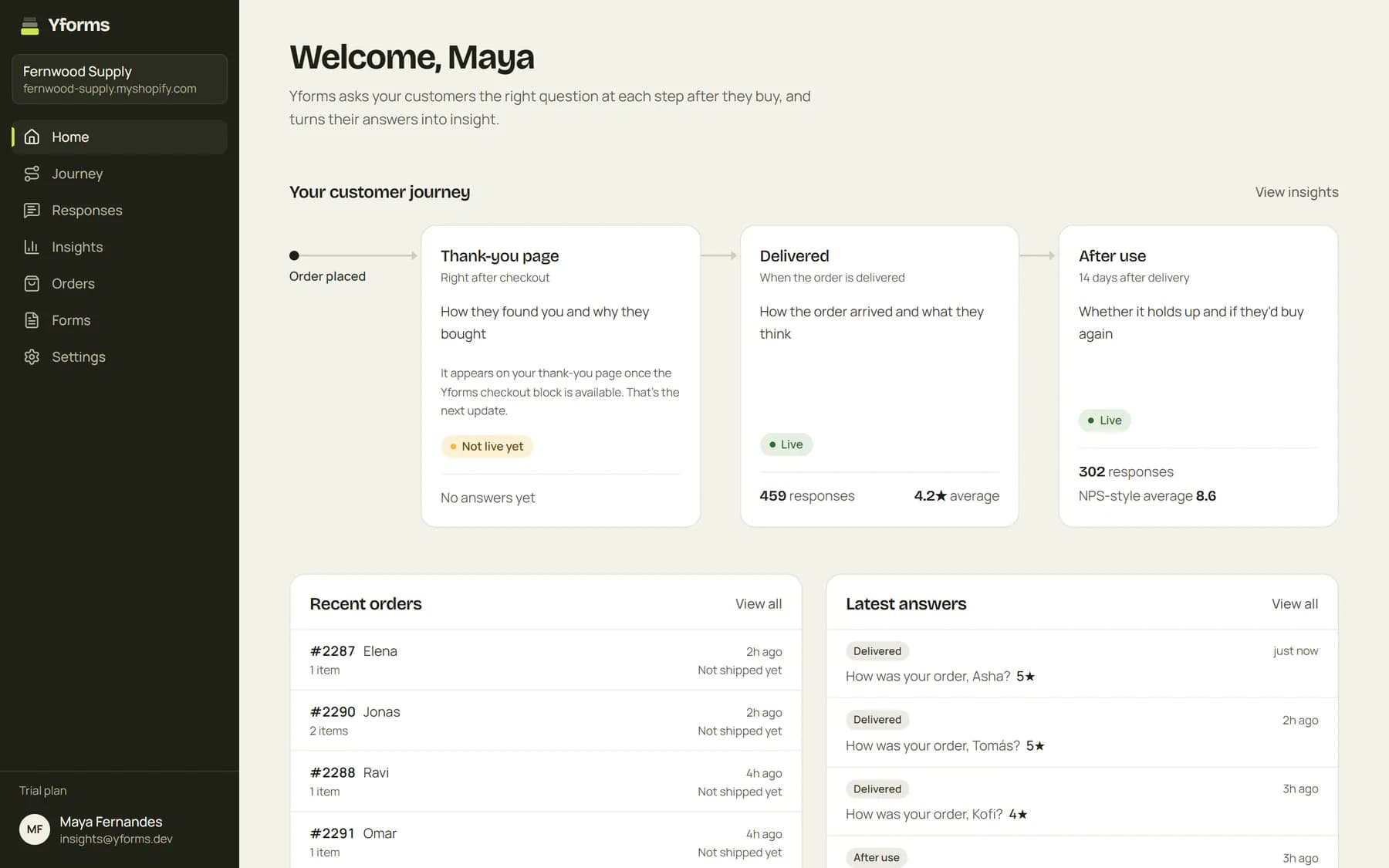 Example data
The right question at each step.
Every store gets three ready-made surveys. Turn each one on, choose when it goes out, and change the questions in the builder whenever you like.
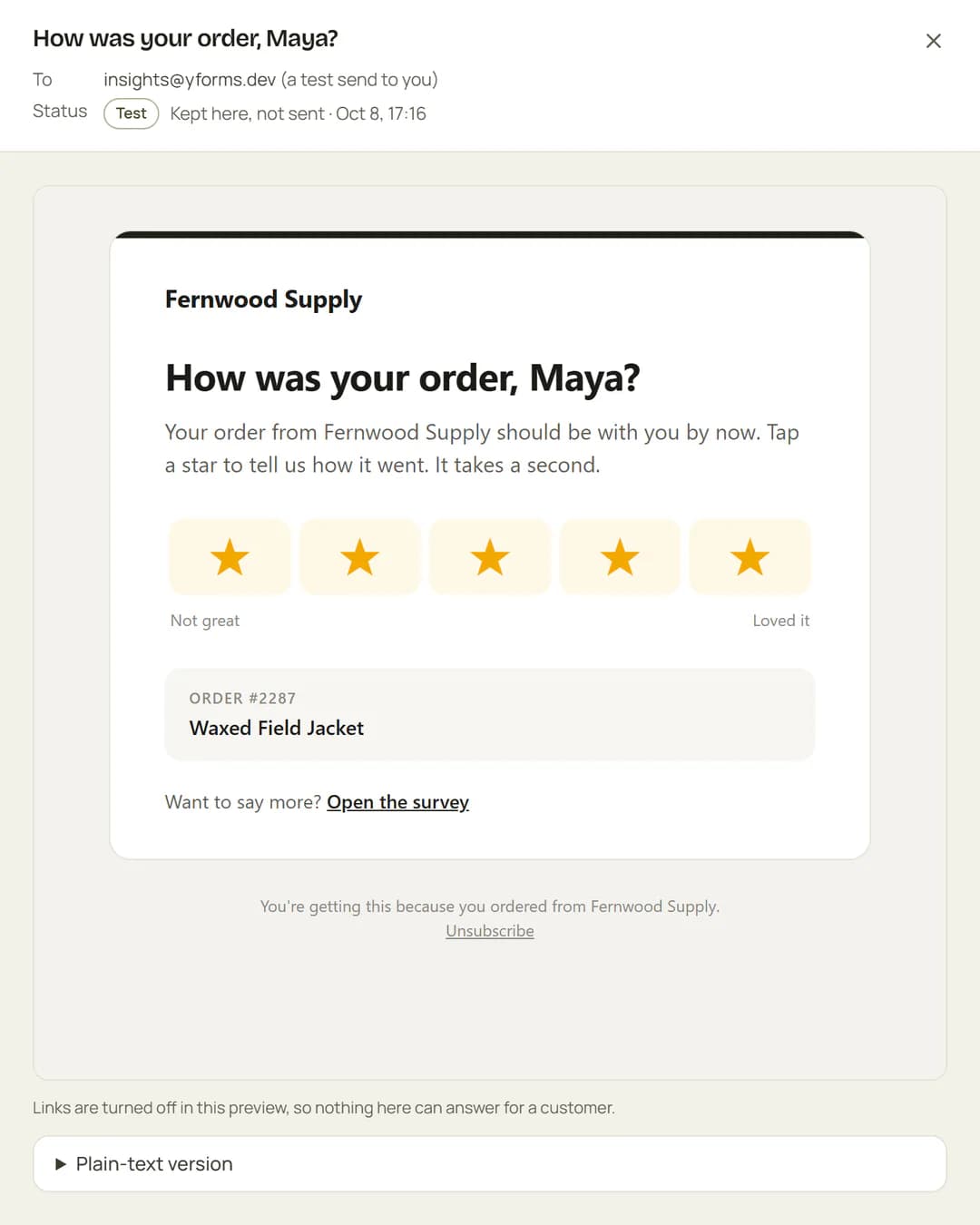
Every answer counts, even the first tap.
Surveys stay short because they’re built in two parts. You get the essentials from almost everyone, and more from the people who want to say more.
- A short coreThree questions. Each answer is saved the moment it's given, so a customer who stops after one tap still counts.
- “Done! Got 30 more seconds?”The customer decides whether to keep going. Finishing early still counts as finished.
- Optional extrasWould they buy again, would they recommend you. Asked only of people happy to keep going.
SoonNext: a rating for each item in the order, and questions that fit the product they bought.
The delivered survey, live. Try it: nothing you enter is saved.
In your brand, in one click.
Paste your website and Match your brand pulls your logo, colours and fonts into your surveys. Here is the same survey in three example brands.
See it in your own store’s brand
Example brands
- Colours
- #14110FPage#F4EDE4Text#E4572EButton
- Font
- Space Grotesk
- Corners
- Square
Halcyon Roasters is a made-up example: a coffee roaster. With your own site, Match your brand sets the colours, font and logo for you.
Open with a welcome. End with something to keep.
Add a welcome screen when a survey needs one. On the ending, thank them by name, then give them somewhere to go: a discount code with a copy button, links back to your shop and your socials.
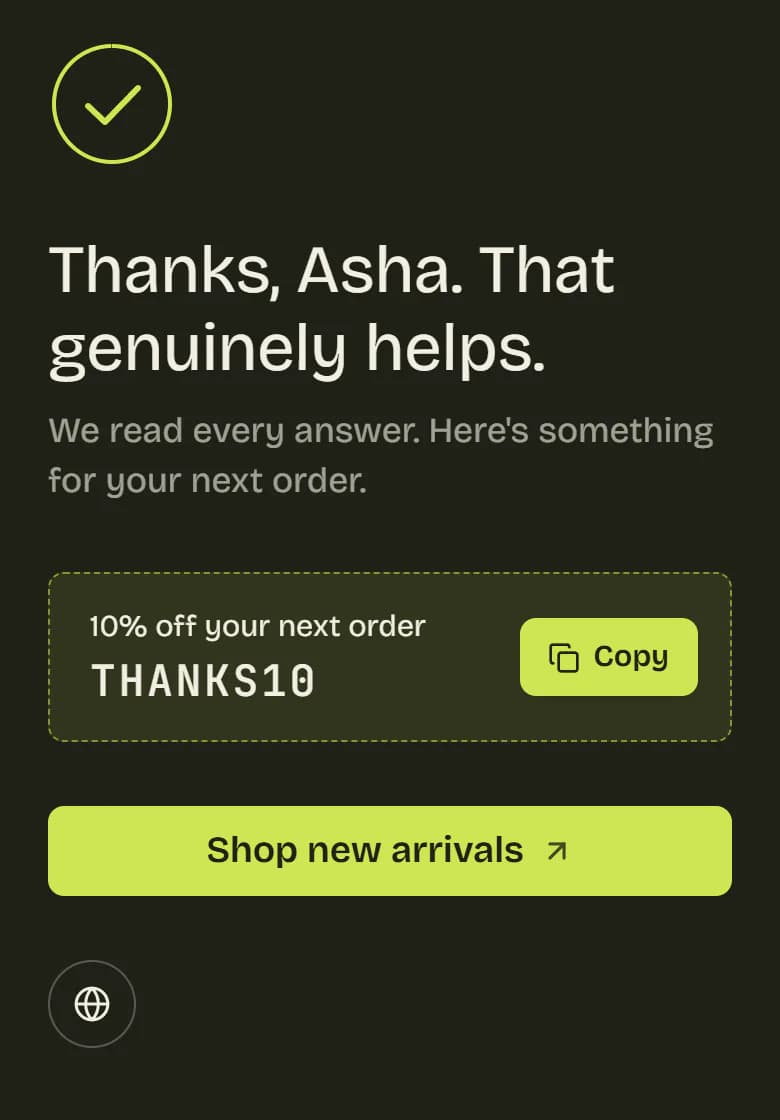 Example data
Know what to fix, not just your score.
Insights charts every step of the journey. AI sorts what customers write into themes, reads the sentiment, sums up the month and answers your questions, quoting the customers behind each answer.
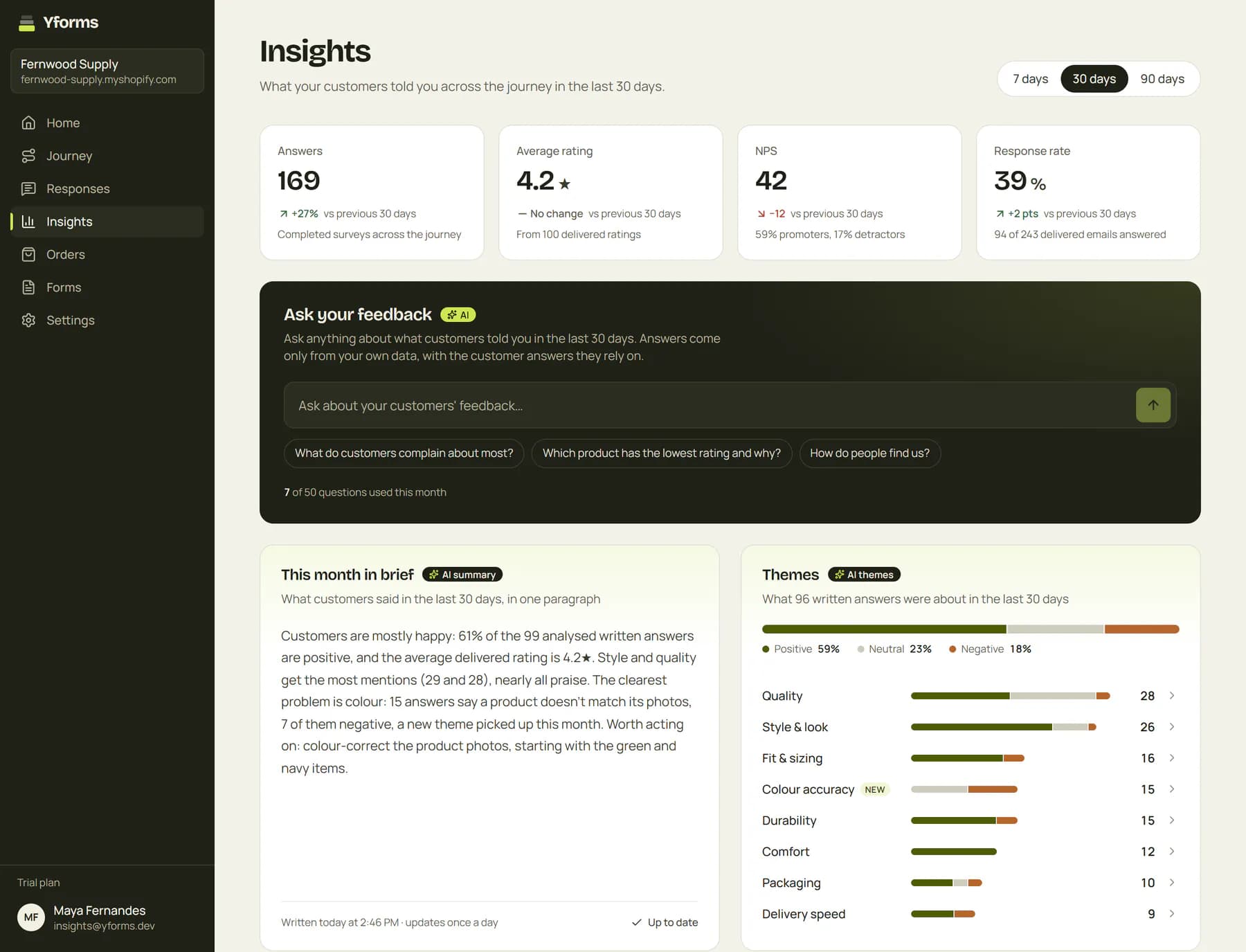 Example data
- Soon A weekly digest by email
- Soon Alerts when complaints spike
Connects with your stack.
Answers are saved exactly as customers gave them, and go where your team already works.
- Shopify
- Install from Shopify and sign in with it. Orders sync on their own.
- Klaviyo
- Send the delivered and after-use emails from your Klaviyo account, or let Yforms email send them.
- Google Sheets
- Every answer as a row in your own sheet.
- BigQuery
- Every answer in a table in your warehouse.
- Webhooks
- Every answer as JSON to your own endpoint or automation tool.
Free to start.
Plans by order volume, billed through Shopify. See pricing
Your journey is ready when you are.
Install Yforms and the three surveys are waiting in your journey. Look them over, match your brand, and turn them on.